Flexible weekly plans
Not every habit belongs on every day. You decide on which weekdays it counts – only planned days feed into your streak and statistics.

Free habit tracker
Create your habits, check them off every day and watch your campfire grow. The DayOperator habit tracker makes progress visible – so you keep going, even when motivation dips.
Free to start · no credit card needed
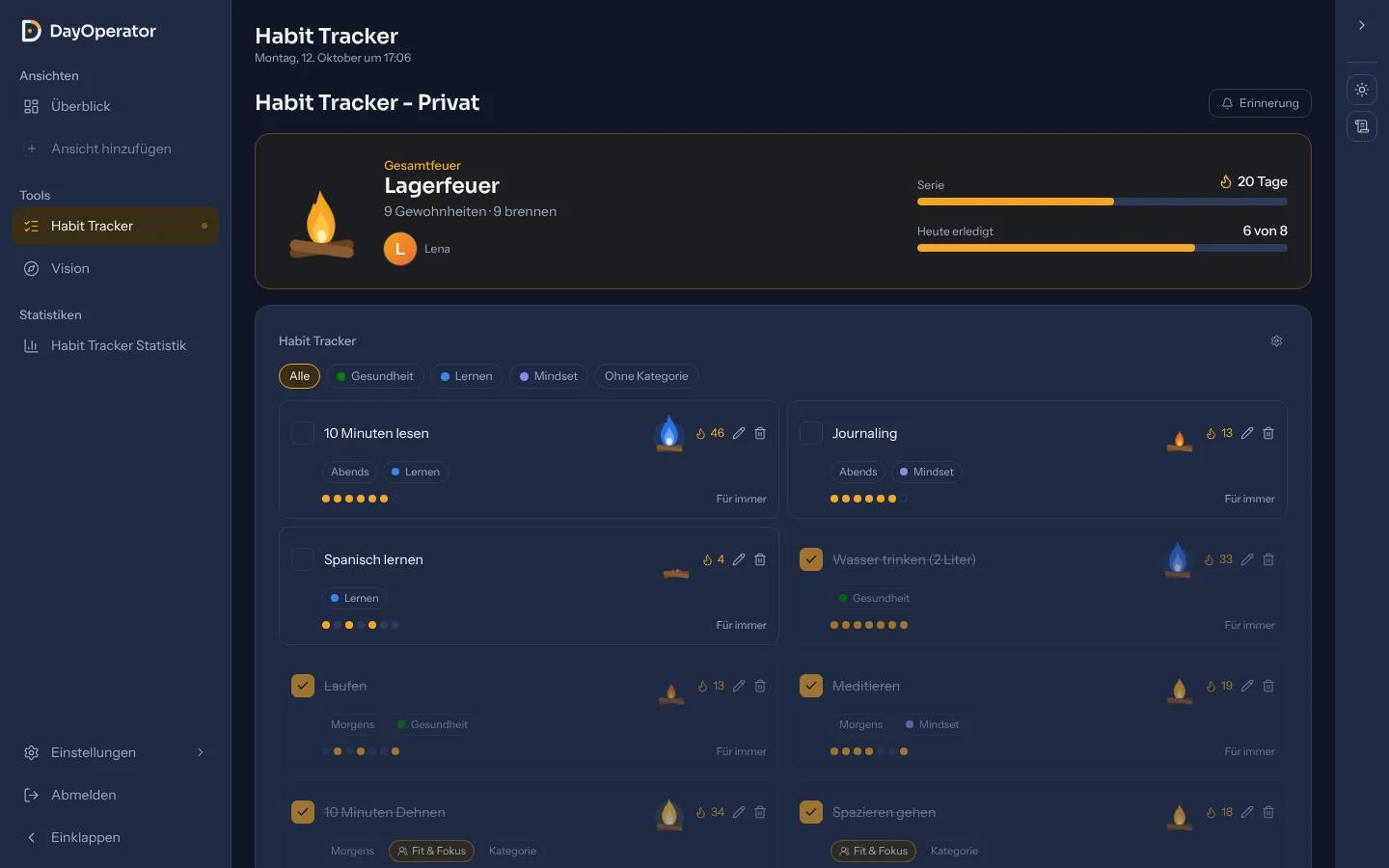
A habit tracker is a tool for planning habits and checking them off every day – whether it is drinking water, exercise, reading, meditating or studying. Instead of relying on willpower, you build a fixed routine and see at a glance how consistent you really are.
It works because new habits are formed through repetition. A habit tracker makes that repetition visible: every tick is a small win, several days become a streak – and you do not want to break a streak. DayOperator uses exactly this effect with a campfire that burns brighter with every completed day.
The DayOperator habit tracker is not an isolated checklist. It sits right next to your daily overview, your goals in the Vision tool and your Task Force. That way your daily routine connects to what you are building it for.
From idea to firm routine in four steps:
Give your habit a name, for example “Read for 10 minutes” or “Go running”. Optionally assign it to a category such as health, career or family.
Choose the weekdays on which the habit counts – every day, or only Monday, Wednesday and Friday. With a time of day (morning, midday, evening) it automatically appears in the matching tile of your daily overview.
Done? One click on the tick is enough. Completed habits move to the bottom, open ones stay in view at the top.
Every habit has its own campfire, plus there is your overall fire. Streaks, completion rate and a weekday breakdown show you honestly where you stand.
Numbers alone rarely motivate. That is why every habit in the DayOperator habit tracker gets its own campfire: the longer you stick with it, the brighter it burns – all the way to a blue flame. Drag the slider and try it out:
Campfire
Heat 18/40
Everything a good habit tracker needs – plus a few things you will look for elsewhere in vain:
Not every habit belongs on every day. You decide on which weekdays it counts – only planned days feed into your streak and statistics.
Assign habits to morning, midday or evening and give them categories in their own colours. One click on a category filters the list.
Every habit has its own campfire, plus an overall fire for all your habits. You see your current streak on every habit.
Completion rate of the last 30 days, longest running streak and a breakdown by weekday show you where things go well – and where they stall.
If something is still open in the evening, DayOperator reminds you at the time you choose: “3 of 5 habits still open.” Optionally you also get an e-mail summary for morning, midday and evening.
Build habits with friends, family or colleagues. A team fire shows your shared progress, and with “Nudge” you motivate each other.
A habit tracker only helps if you use it wisely. These five basic rules have proven themselves:
Begin with two or three habits instead of ten. Two minutes of stretching that you really do beat the perfect plan you give up after a week.
“Read for 10 minutes” can be ticked off, “read more” cannot. The clearer the habit, the easier the decision in everyday life.
Hang new habits on existing ones: meditate after brushing your teeth, go for a walk after lunch. The time-of-day setting in the habit tracker reminds you right there.
Choose only the weekdays on which you can really manage the habit. Days on which it is not planned do not interrupt your streak.
A missed day is not failure. In DayOperator it only dims the fire – the next day you complete it burns again. What matters is that you come back.
The habit tracker is part of the Free plan and can be used for free – no credit card needed. A Pro plan with additional features is planned for later.
A missed planned day dims the fire: the first one costs 2 heat, each further one in a row costs 1. If the heat drops to 0 the fire goes out – the next completed day relights it. Days on which the habit is not planned do not count.
That is individual. Studies report very different time spans depending on the habit – from a few weeks to several months. DayOperator therefore rewards consistency over perfection: the blue flame burns after 40 days in a row.
Yes. DayOperator runs in the browser and can be installed as a web app on the home screen of iPhone and Android or in the Dock on a Mac. You turn on popup reminders per device.
Yes, with a Task Force. You invite friends, family or colleagues by e-mail or link, create shared habits and see together who has already finished today. Private habits stay private.
DayOperator connects habits with the rest of your day: a daily overview with calendar, tasks and e-mails, goals in the Vision tool and teamwork in the Task Force. And the campfire makes consistency visible instead of just counting numbers.
Start your habit tracker today
Create your free account in under a minute and add your first habit today.